Registering to Bid in an Auction
To place bids in an auction you have to register. Here's what that process looks like:
Registering to bid in an Auction
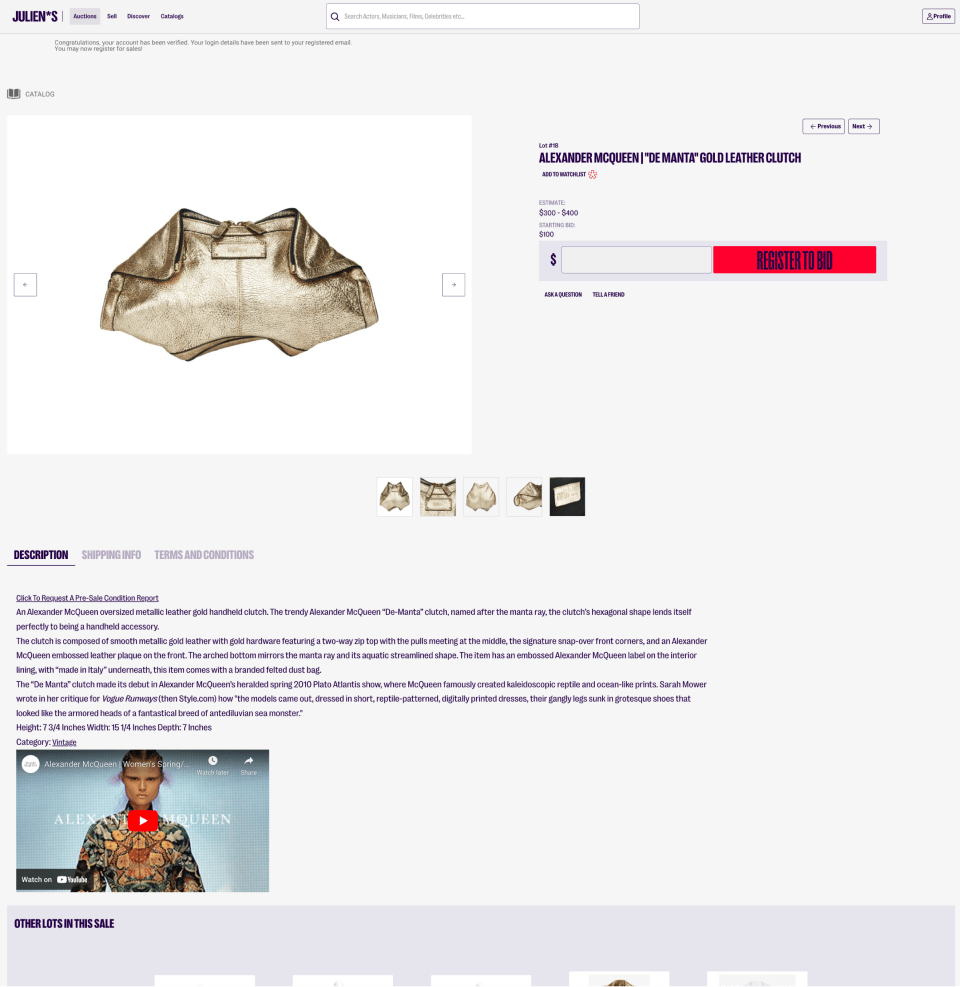
Now that you’re signed in, you need to register to bid in the auction.
You only need to create an account once, but you must register for every auction that you want to bid in.
(This process helps us send updates to the correct users, and gives the user an opportunity to update their shipping and payment details.)
Let’s walk through the registration process:
Adding your shipping info
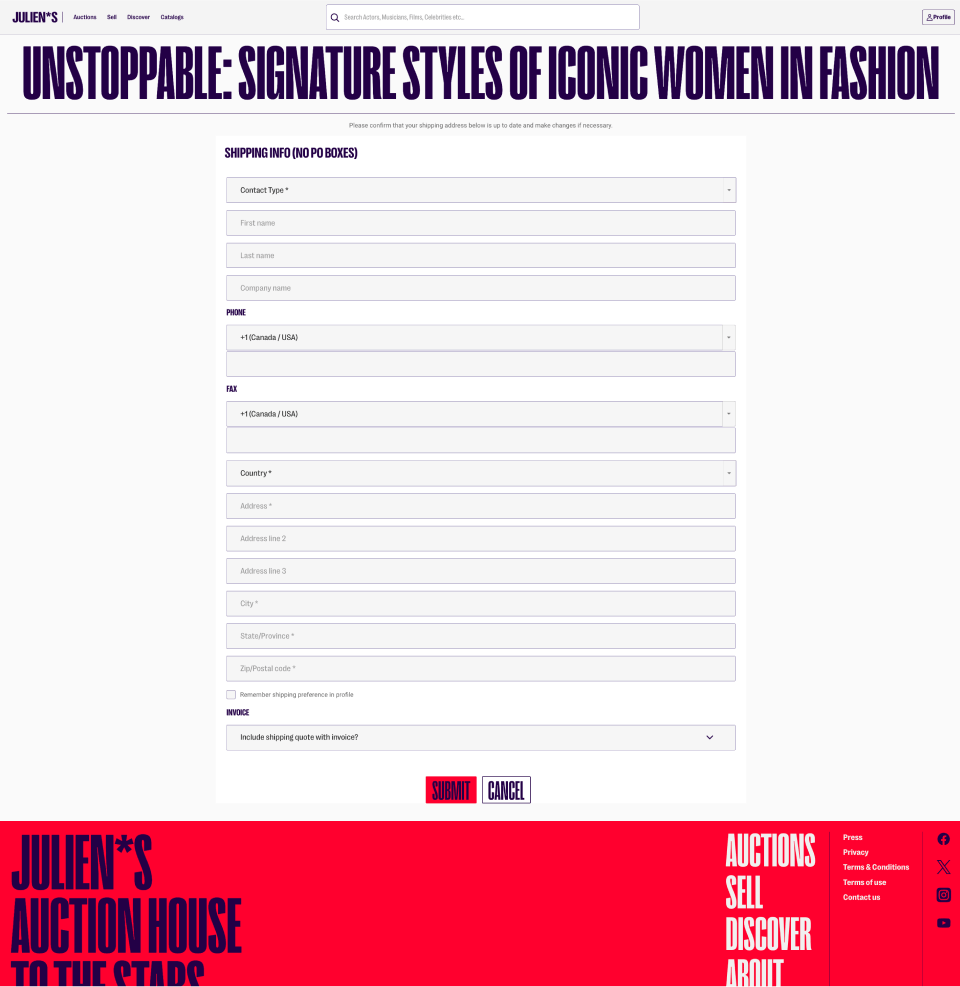
First, you will be prompted to provide your shipping information:
Adding your billing info

You will be also be prompted to provide your billing information and credit card number.
To add your credit card information, you can click the “add credit card” button, which will create a secure form for that information.
Adding a credit card to your account
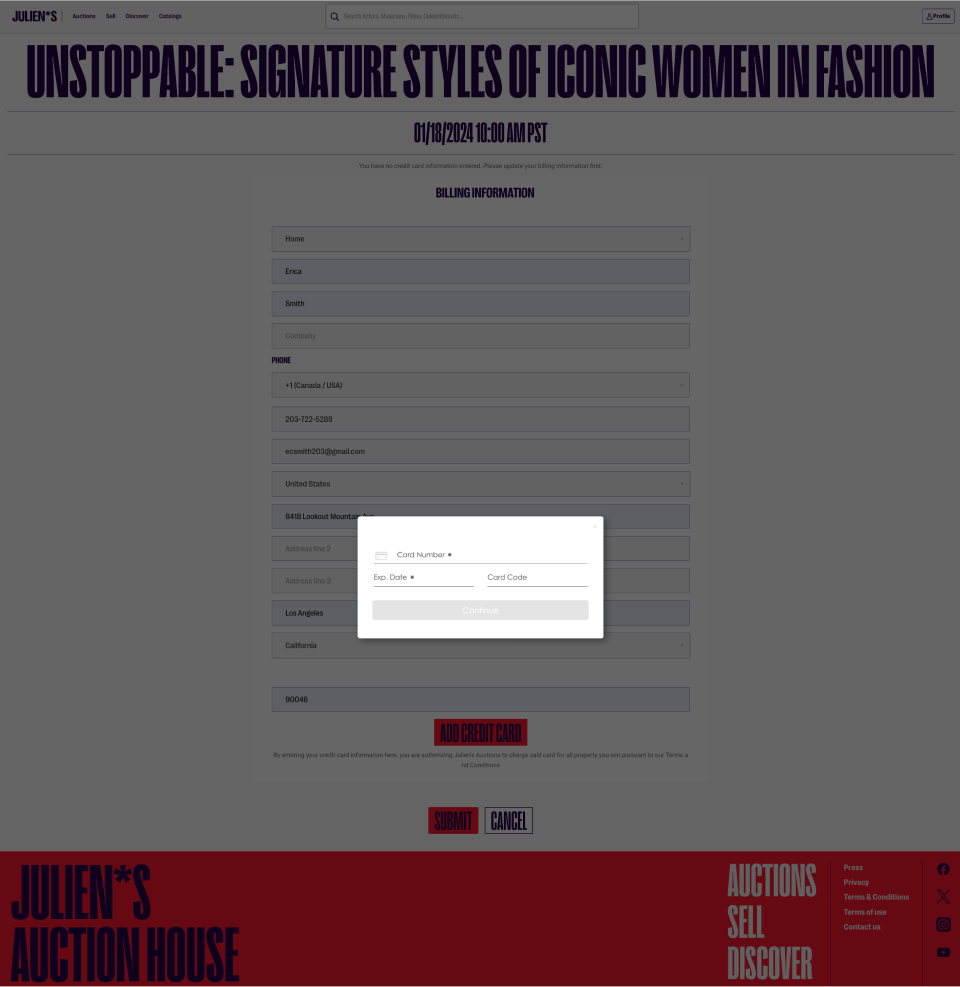
When you have finished entering your credit card information, you can click continue to return to the registration screen, to complete the process.
Submitting your registration

When correctly filled in, it looks like this:
You can see that your credit card has been added to the form, because the “add credit card” button has updated to allow you to “remove credit card” if you would like to make a change.
For your information, the last 4 digits of the credit card number and the expiration date are visible.
Card verification

Now that you have a credit card on file, we will need to verify that it works.
To verify your credit card, you will be asked to allow a small transaction.
This transaction will be returned to you promptly, and is only meant to test the connection for future transactions.
What a successful registration looks like:
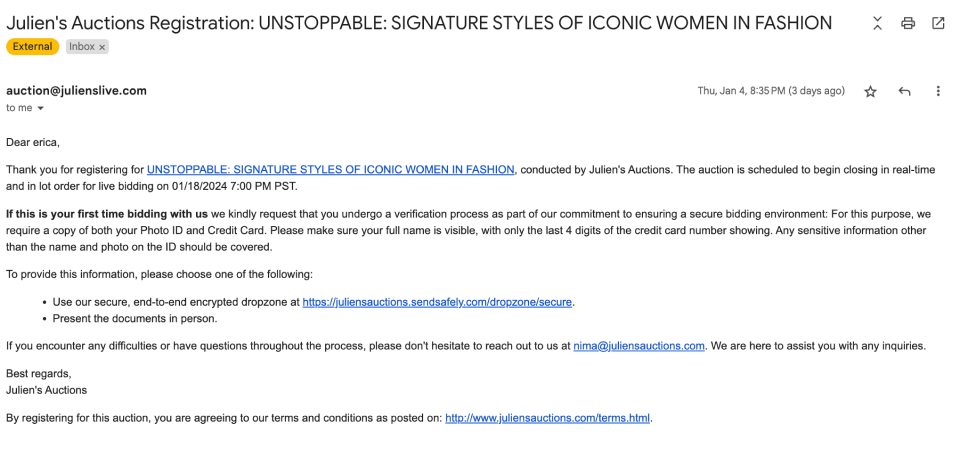
After successfully registering to bid in an auction, you will receive an email in the account that you have provided.
The email will look like this:
Now that you are registered for this auction, they will receive an update email approximately 12 hours before the auction is live.