Placing a Bid
To place bids in an auction you have to register. Here's what that process looks like:
There are many ways to discover a lot
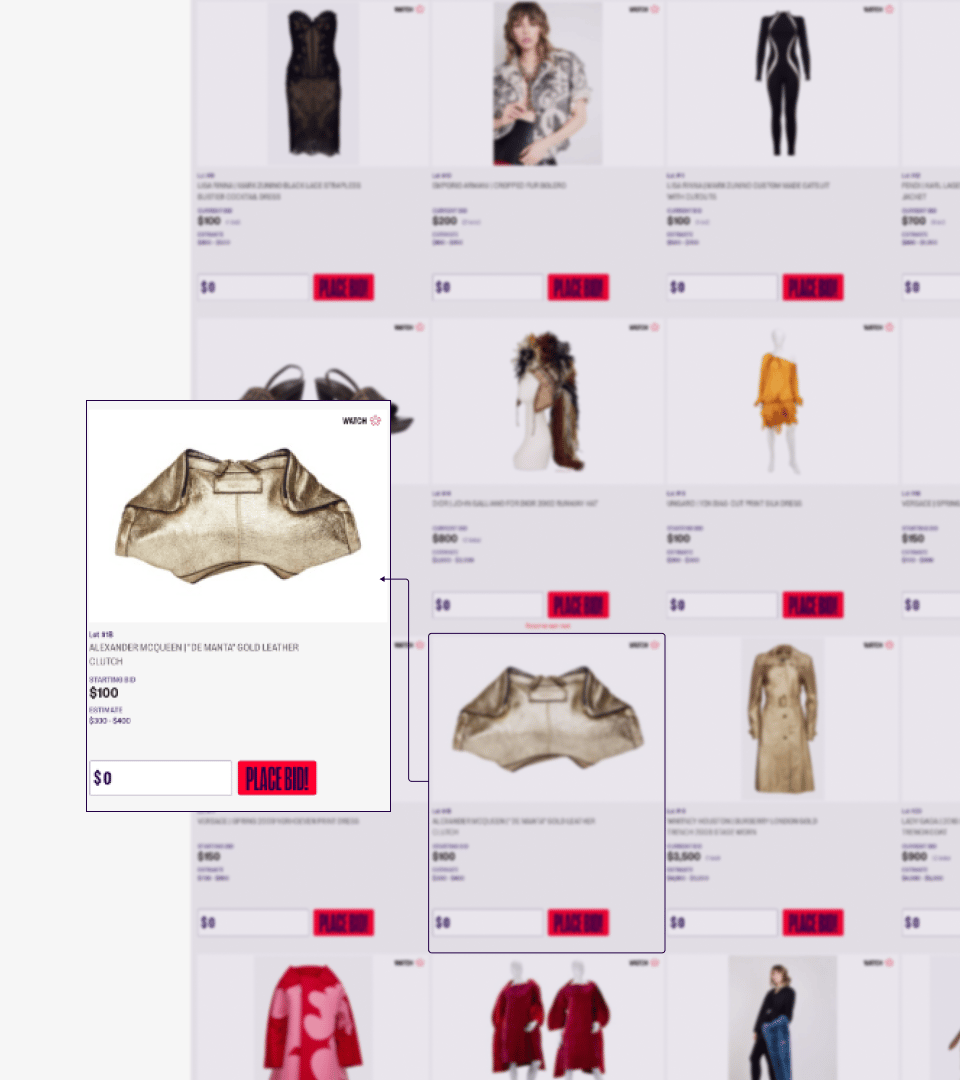
There are multiple ways to discover a lot to place a bid on.
This view is what you would see if you were browsing inside an auction.
You might also find a lot being featured on the main page, in an article, or displayed on a social media platform outside of our website. All of these are great ways to enter an auction.
Let’s follow the experience of placing a bid on this gold leather clutch:
How to place a bid when viewing a lot
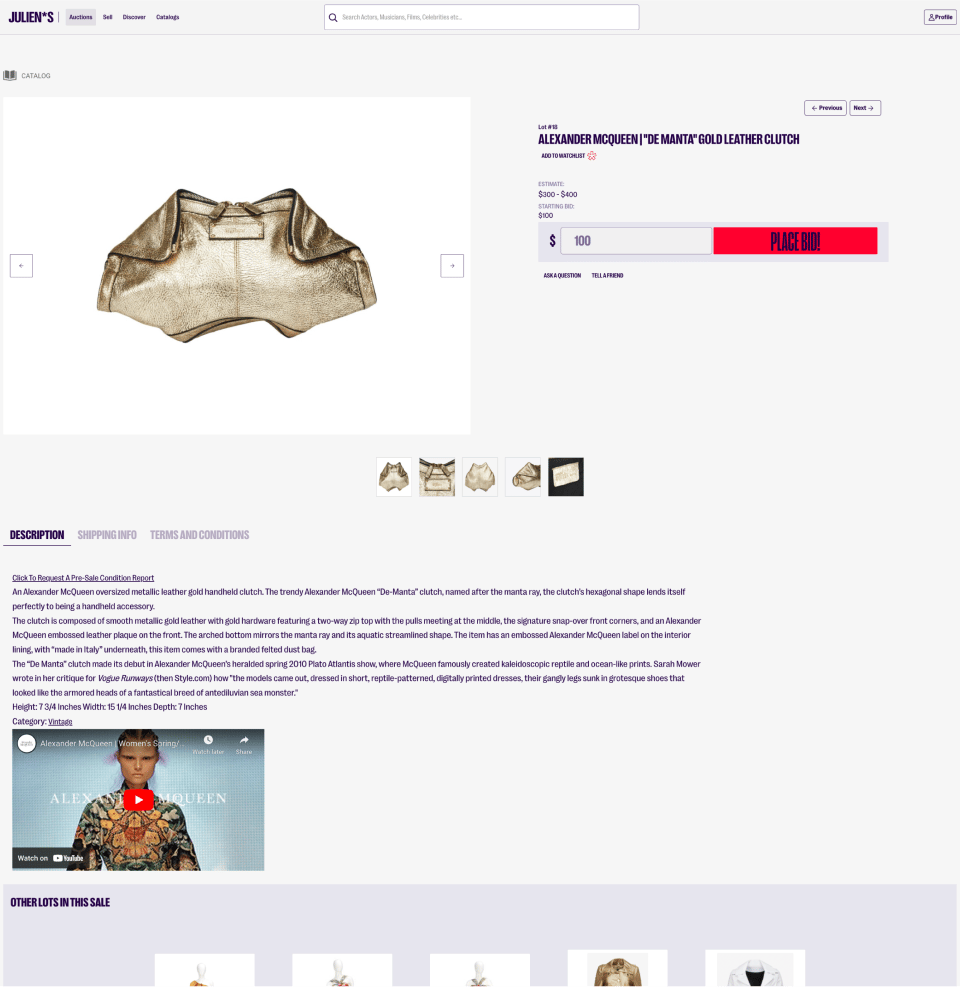
Once you’ve selected the lot, you will enter a page where you can view information about the item.
You must be logged in to your account to place a bid here. If you are not logged in, you will be prompted to do so.
You may enter an incremental amount in the displayed field to participate. If this amount is not incremental, you will be prompted to correct the amount before proceeding.
When you’re happy with your bid, you can select the “place bid” button to continue.
Confirming a bid
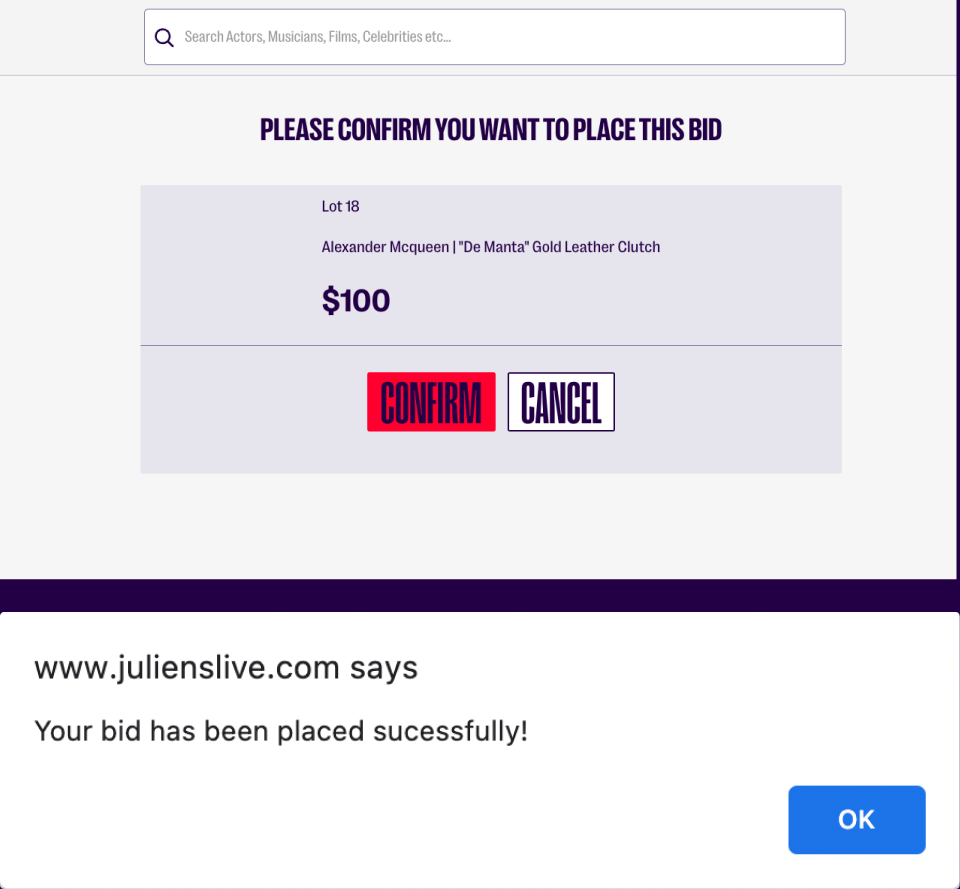
Once you place a bid, you will be asked to confirm this bid amount.
Upon confirming the bid, you will receive confirmation of success.
You will also receive confirmation in your email
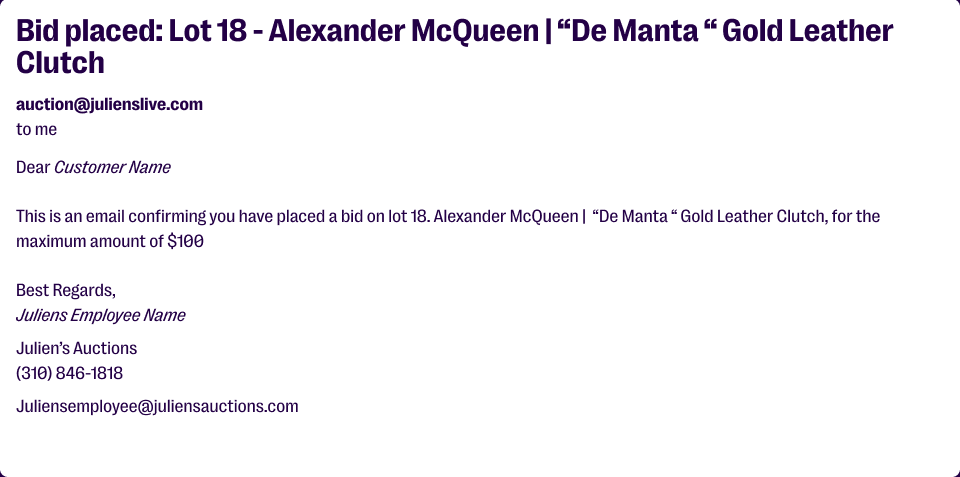
After placing a bid, you will receive confirmation of that bid in their the email listed on your account.
Being the high bidder
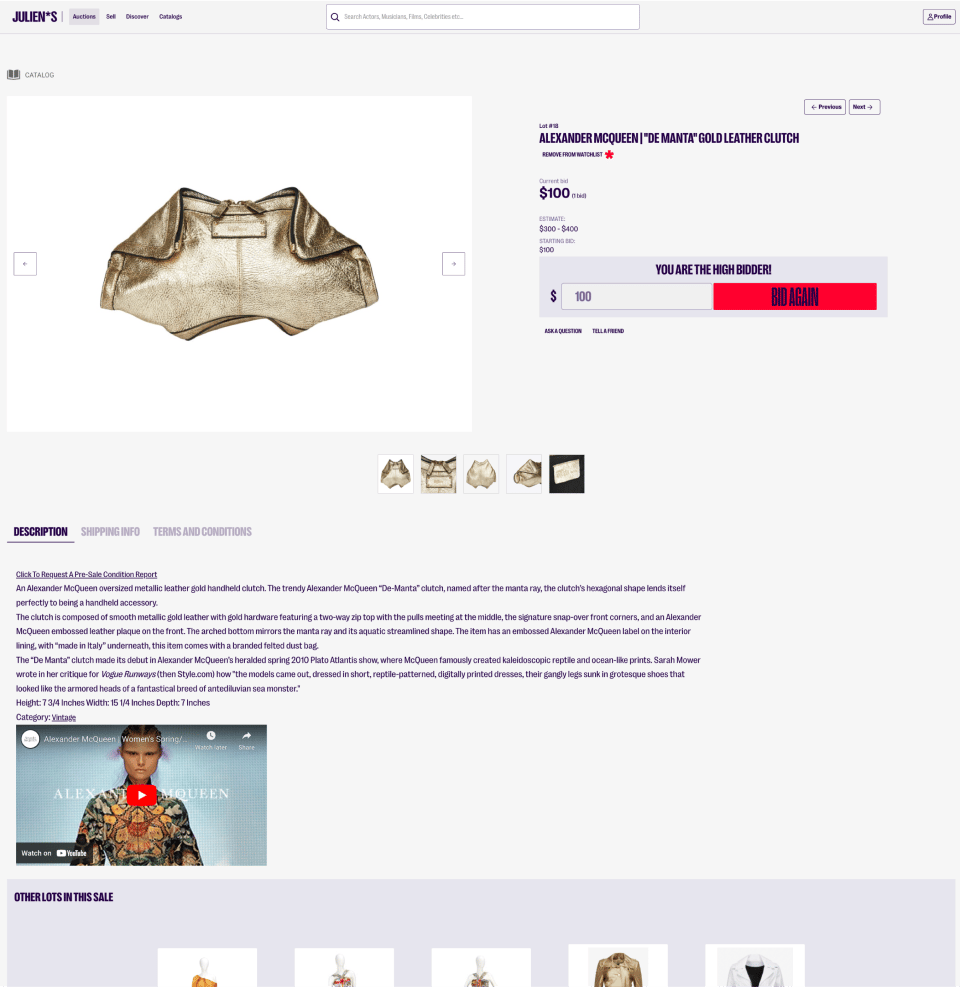
Currently you are the high bidder. This status information will be visible to you in multiple places.
Here is what it looks like on the lot itself:
You can check your bid status in multiple ways
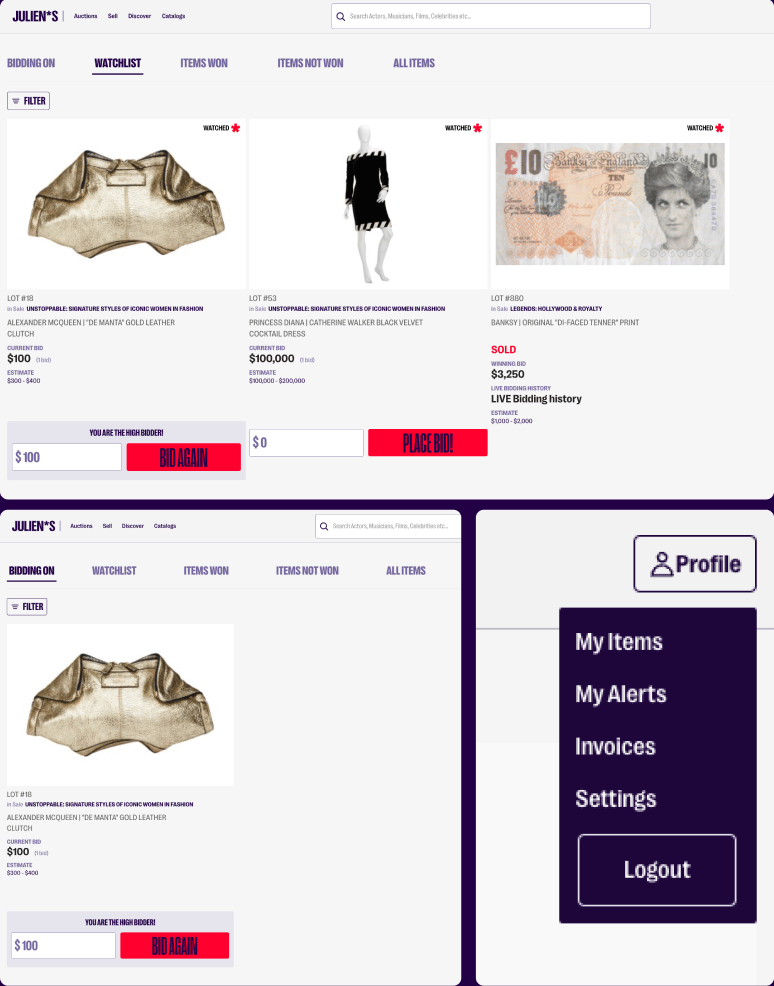
You can also monitor their bids by visiting “My Items” in your profile.
In “My Items”, you can view items that you are currently bidding on, and items that have been added to your watchlist, among other things.
When you bid on an item, it is automatically added to your watchlist.
The “bidding on” and “watchlist” views are both shown here:
Checking your bid status inside the auction
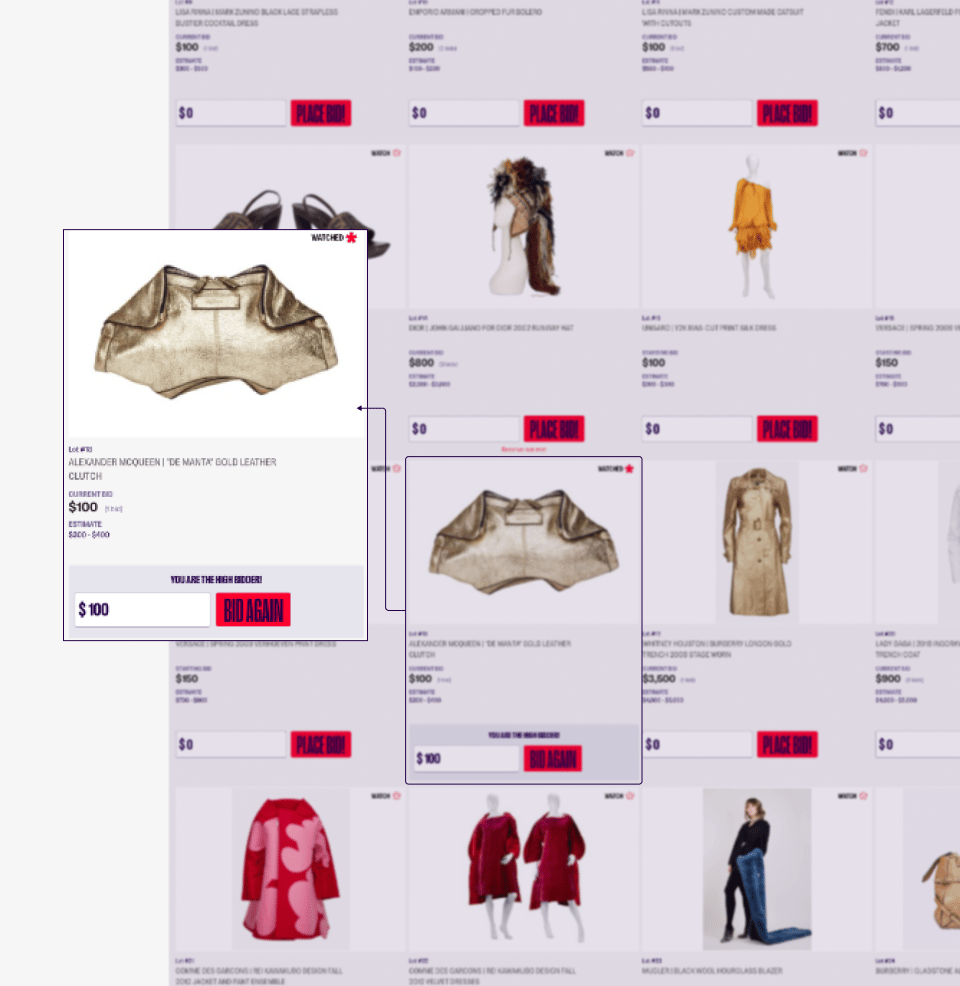
You can also see your high bid status within the actual auction.
How do you know if you've been outbid?
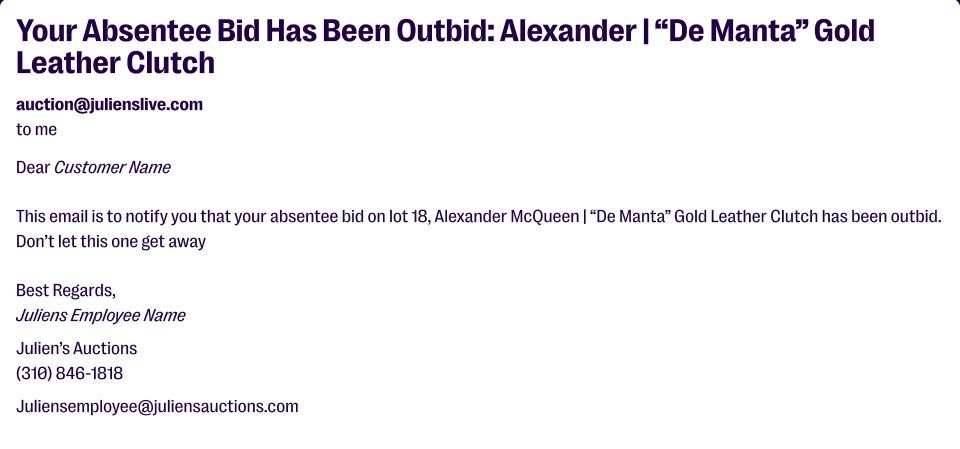
If you’ve been outbid, you will receive an email notifying you of this change.
How to increase your bid
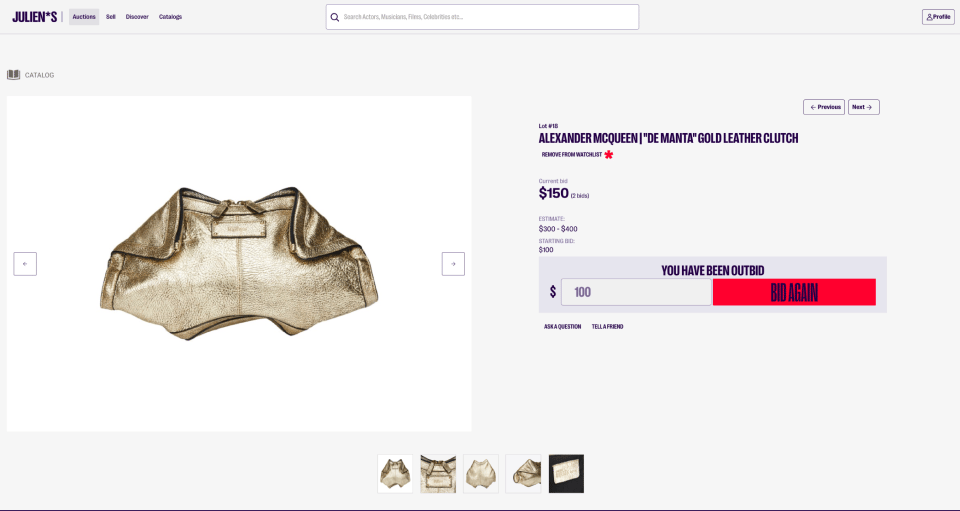
When the sale starts, you can monitor the status of your bid, and increase it as you like.
You are able to increase your bid from within the auction, and also within the lot detail page, as you see here.
This status change will always be visible.
There are multiple ways to increase your bid or check your bid status
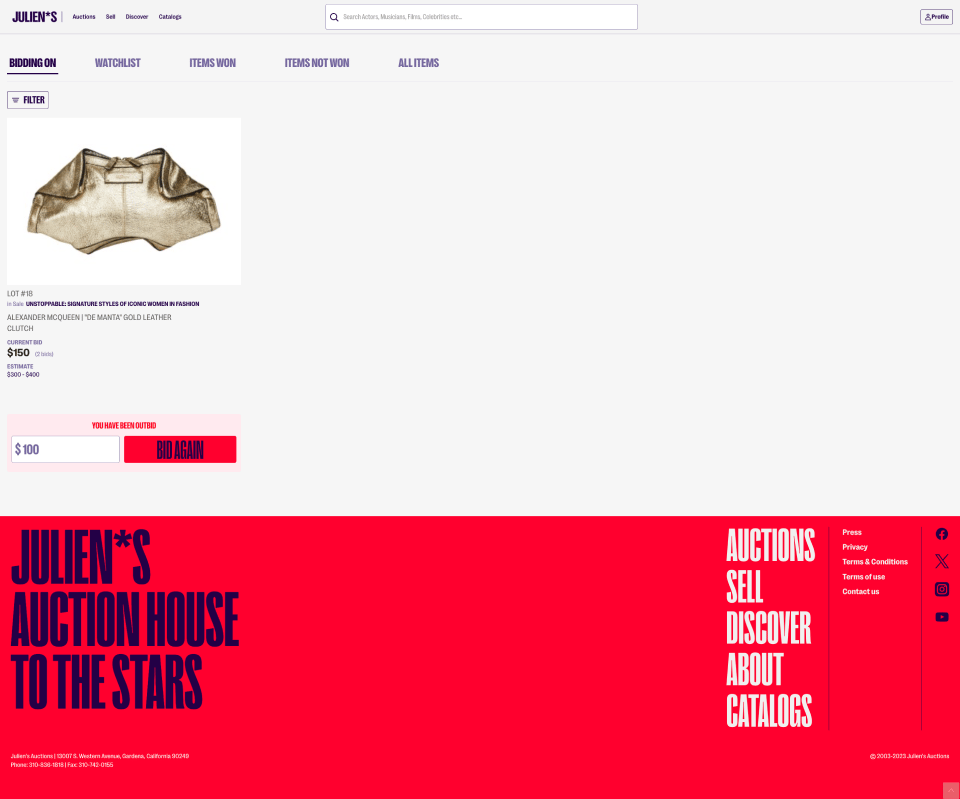
In this view, you can see that you have been outbid on an item you are currently bidding on.
This view is available in your profile, under the “bidding on” tab.