Creating a New Account
To bid in an auction, you need to create an account. Here's a quick walkthrough of what that process looks like:
To place a bid, you need to sign in
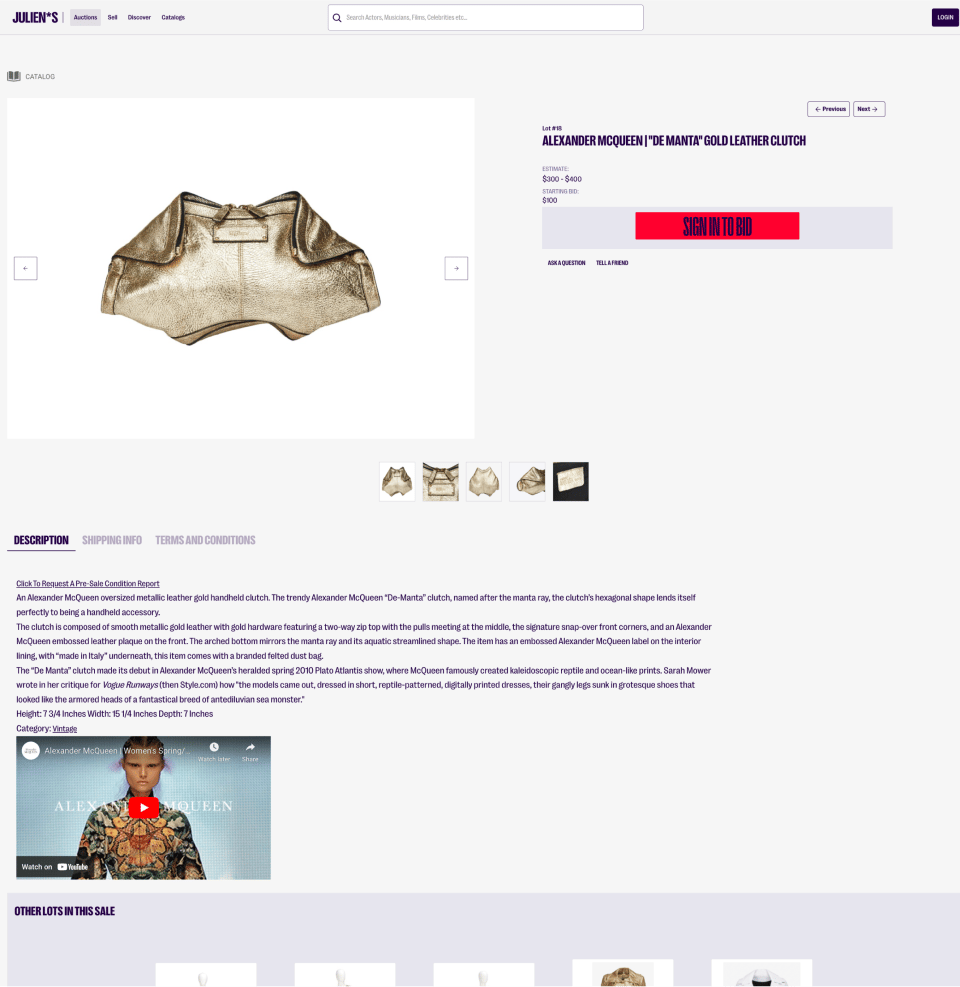
When browsing lots in an auction, you will be asked to sign in to place a bid.
You can click the red button to either sign in, or create an account. The text will change depending on your status.
How to sign in or create an account
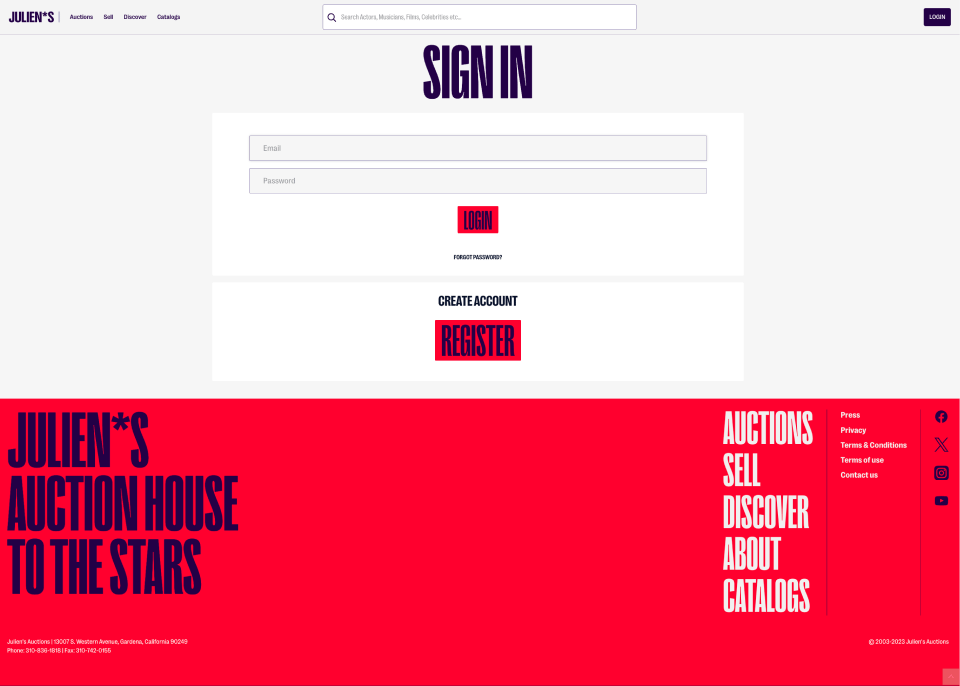
If you have an account, you can sign in here.
If you do not have an account, you can create one here by clicking the “Register” button.
Creating a new account
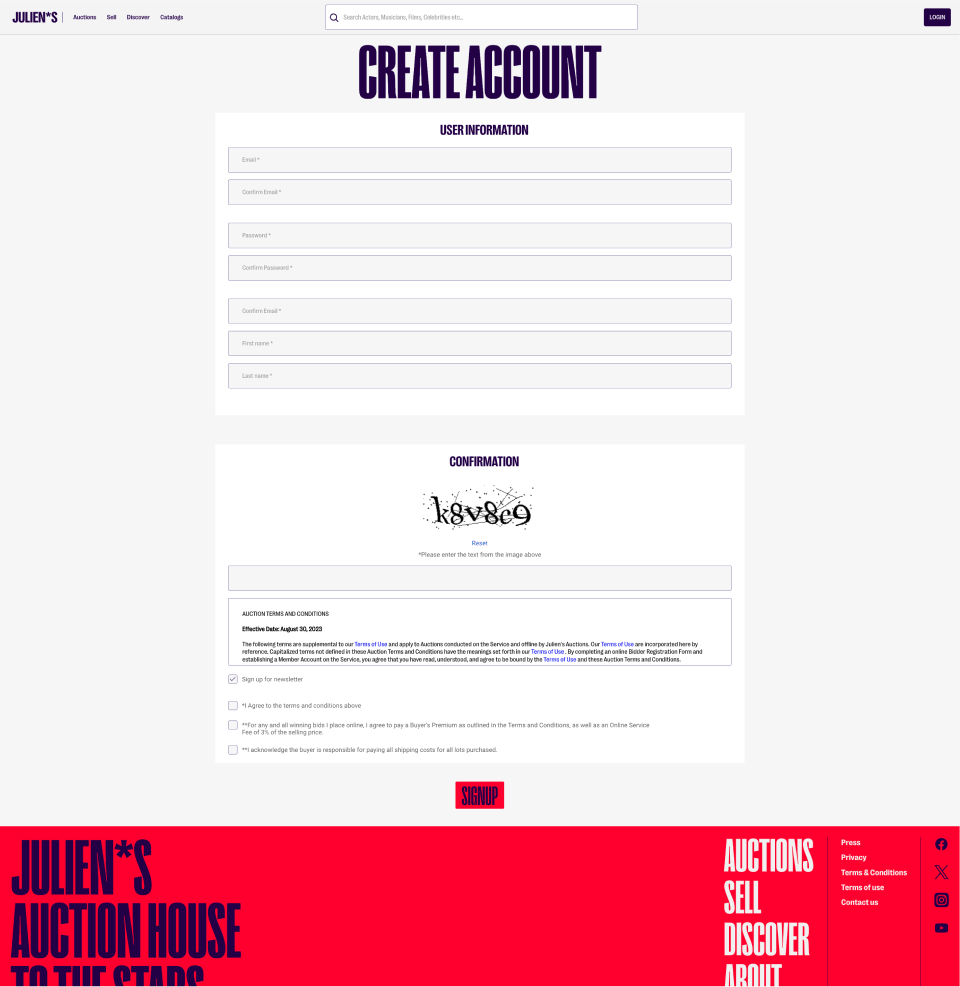
If you choose to create a new account, you will need to enter your information and agree to the terms and conditions.
(This is also another place that you can sign up for the newsletter.)
Creating a new account
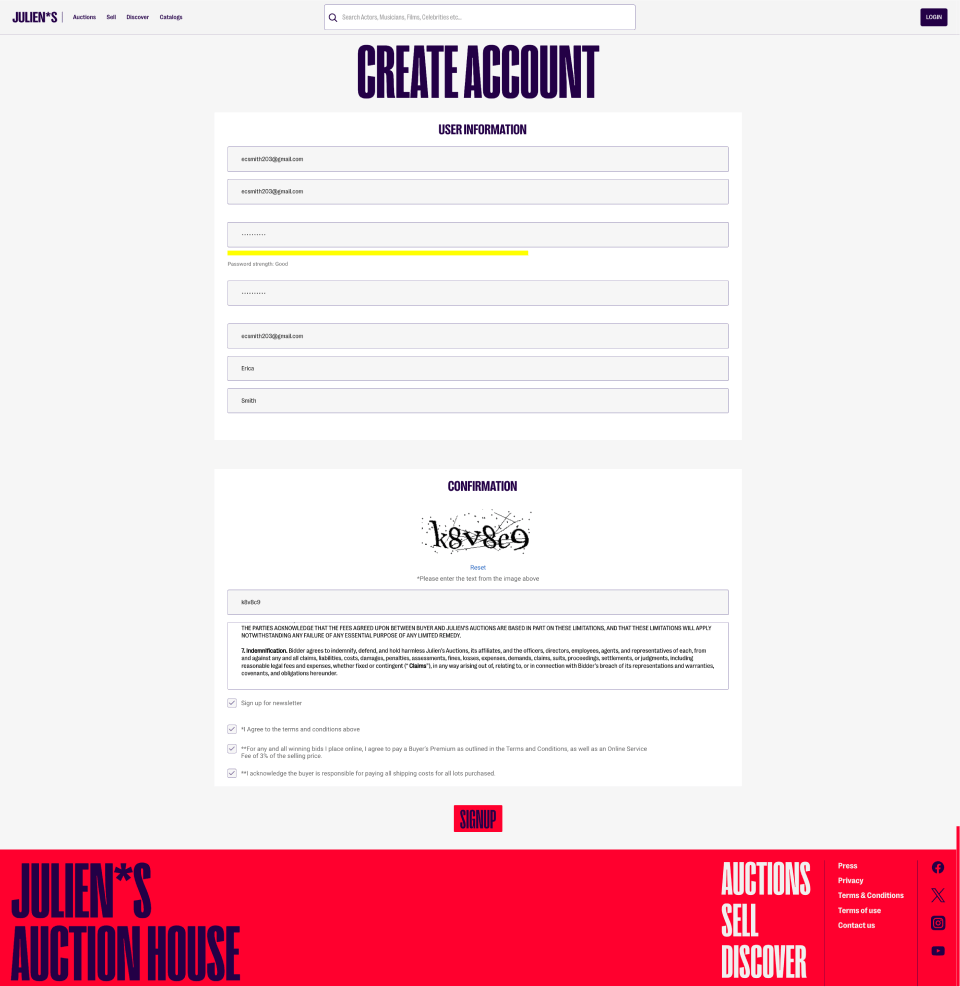
When correctly filled in, it looks like this:
Verifying your new account
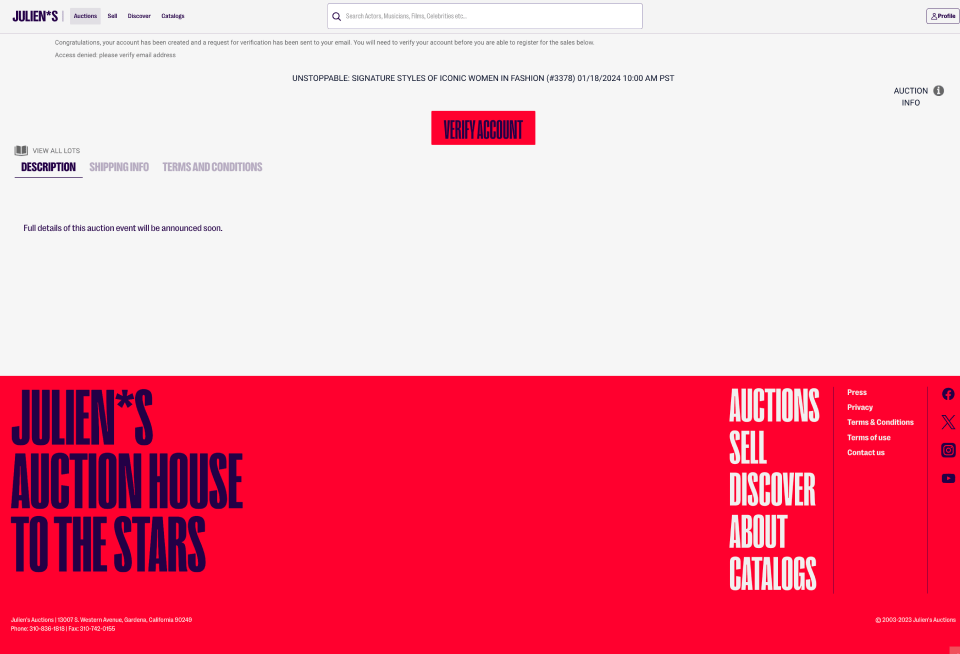
Now that you’ve created an account, you must verify it.
You can now press the “verify account” button, which will send an email to the account that you have listed.
In this email, there is a link that you must click to complete the verification process.
Successful verification looks like this:
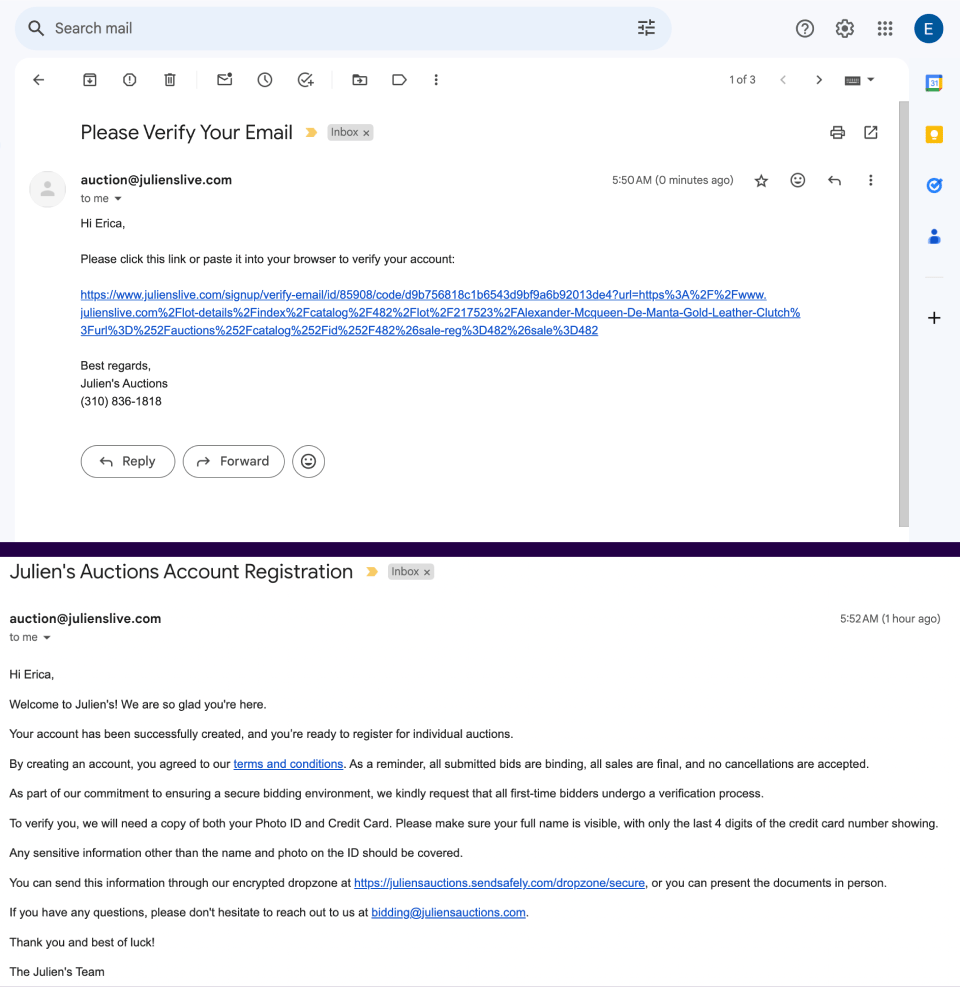
These are the two messages that you will receive during the verification process. Here is a sample of both of them.
The top image is the verification email. You must click this link to verify your account.
After verifying, you will receive the bottom image in your email to confirm successfully creating and verifying an account. Congratulations!